Sakura Matcha
A matcha café website designed to build strong brand recognition and enhance the overall customer experience through thoughtful UI/UX and an AI assistant.
01 - Overview
This project focuses on building a brand-driven café website designed to attract customers and enhance the overall customer experience through a recognizable brand identity, thoughtful UI/UX, and a grounded AI assistant that helps users explore the menu and make more personalized choices.
- Project Type: Self-initiated MVP
- Role: Product Design / UI/UX Design / Brand Design / AI Interaction Design / Frontend Development
- Timeline: May–June 2026
- Platform: Responsive web
- Tools: Figma, React, Next.js, TypeScript, Tailwind CSS, OpenAI API, Claude Code
- Team: Independent project
- Status: Functional MVP
02 - The Problem
There are three key challenges I addressed in Sakura Matcha:
1. Standing Out in a Crowded Market
- Limited differentiation through products alone in a growing matcha and specialty café market
- Difficulty creating a distinctive brand presence that customers can recognize and remember
2. Turning the Brand into an Effective Digital Experience
- Balancing strong visual expression with usability
- Making menu content easy to browse and understand across desktop and mobile
- Maintaining a consistent brand experience throughout the website
3. Supporting Customers in Making Menu Choices
- Different levels of familiarity with matcha can make menu items, flavors, and ingredients difficult to understand
- Customers may know what they like but struggle to translate those preferences into a specific menu choice
03 - Three Key Decisions & Design Exploration
1. Building a Recognizable Brand Identity
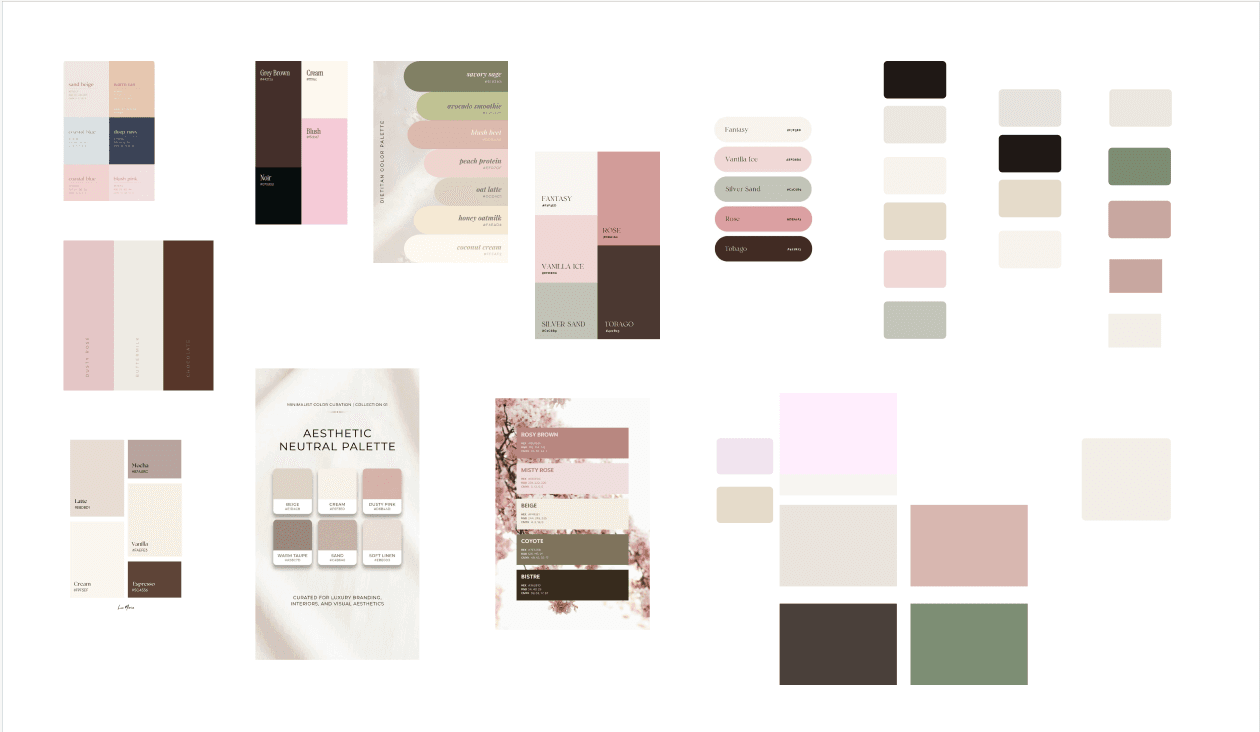
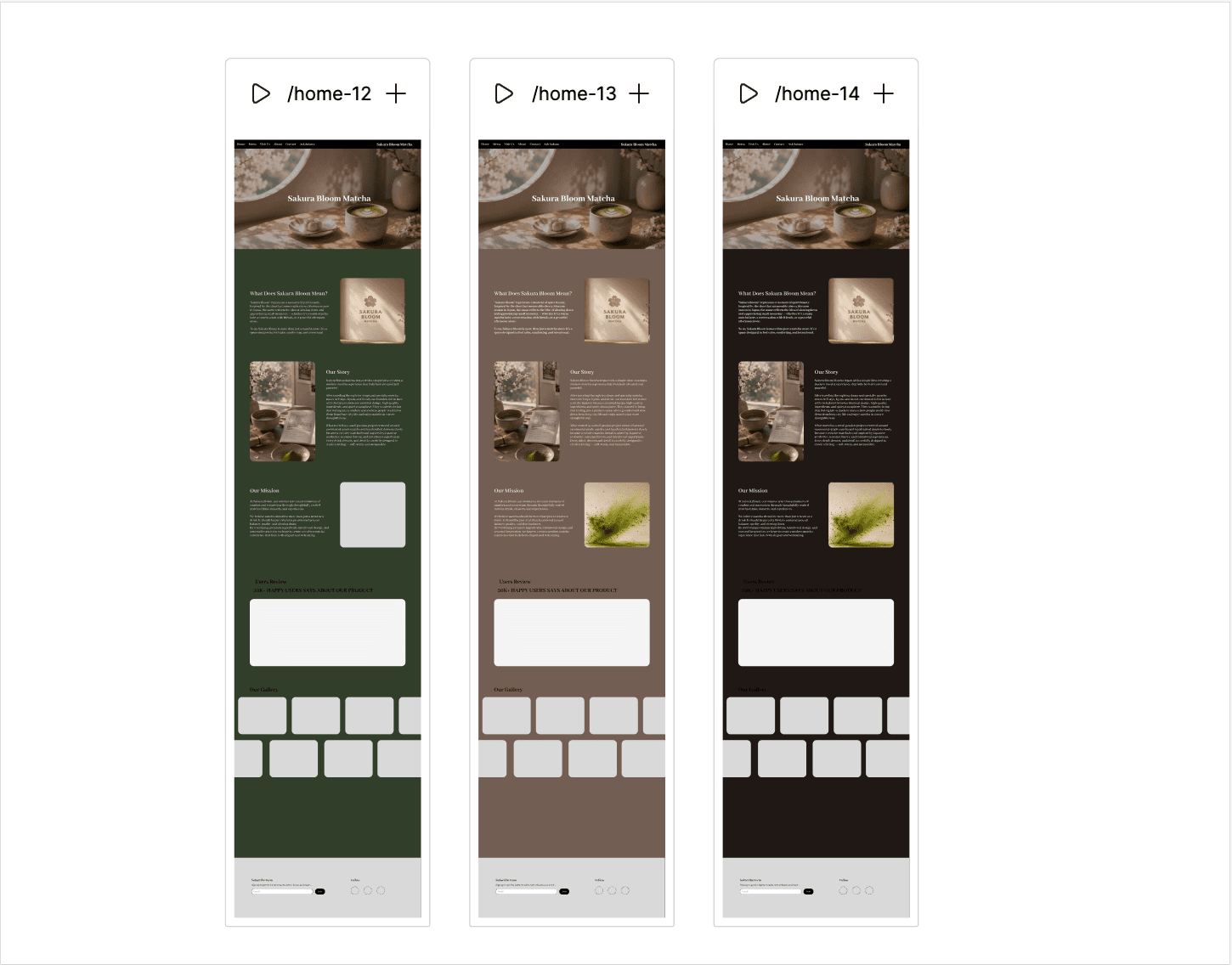
Sakura blossoms were selected as the central visual motif and became the basis for the name “Sakura Matcha,” giving the brand a distinctive element that could be carried consistently across different touchpoints. By combining references to traditional Japanese tea houses with the contemporary character of New York, the visual direction balances cultural warmth with a modern, refined presence. The color palette and supporting visual elements draw directly from matcha and sakura, creating an atmosphere that feels calm, soft, and premium.

2. Balancing Brand Expression with Usability
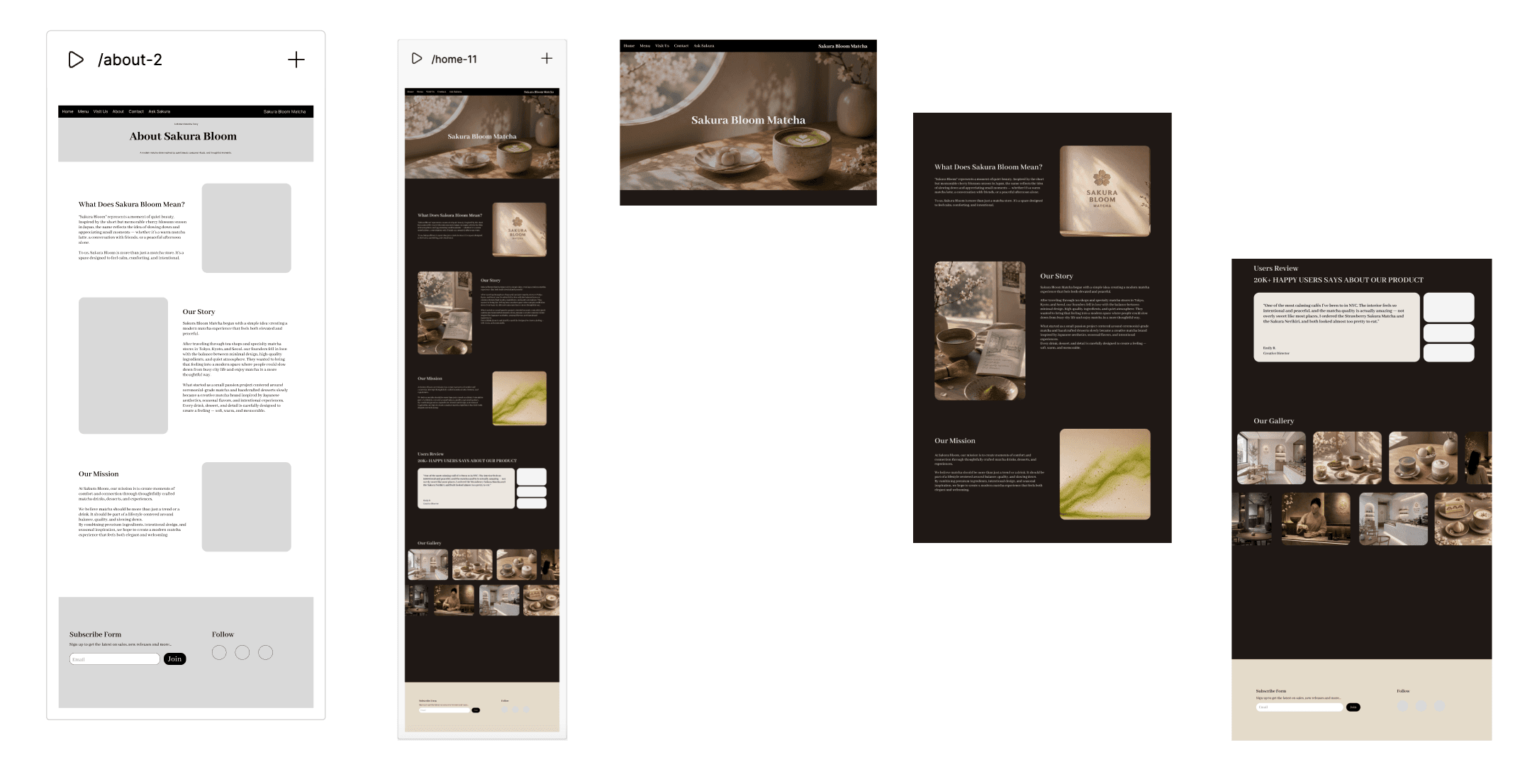
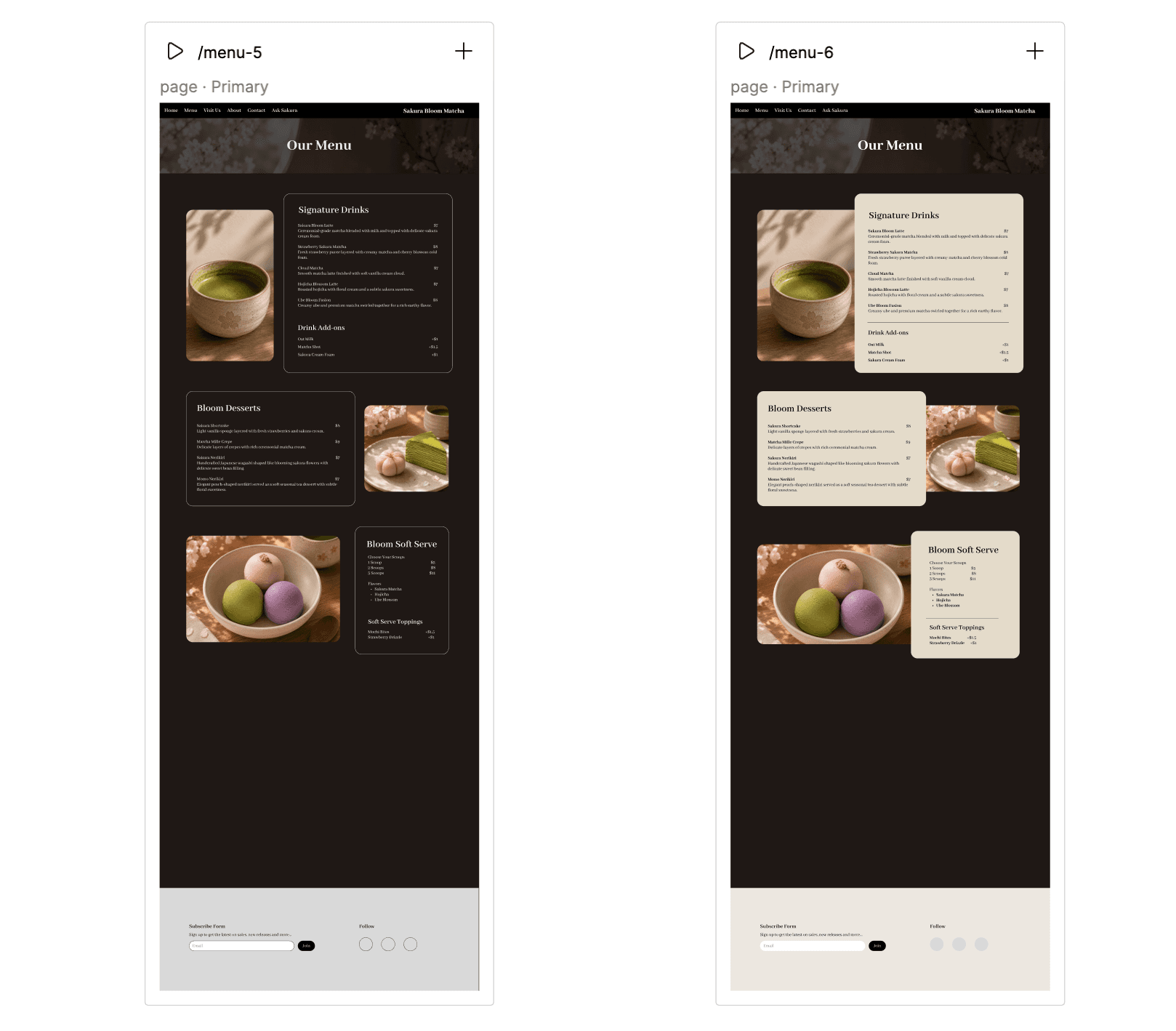
The website structure was designed to communicate the brand’s personality without making the experience difficult to understand or navigate. Familiar navigation patterns, clear content hierarchy, and consistent page layouts help users quickly find information about the café, menu, and products. At the same time, the typography, imagery, colors, and decorative elements maintain a distinctive visual identity across the experience. This balance allows the website to feel visually expressive while remaining clear and easy to use.
3. Supporting Menu Decisions with an AI Assistant
Ask Sakura is Sakura Matcha’s AI assistant, designed to help customers who may be unfamiliar with matcha or uncertain about what to order.
Core AI Capabilities
1. Personalized Recommendations
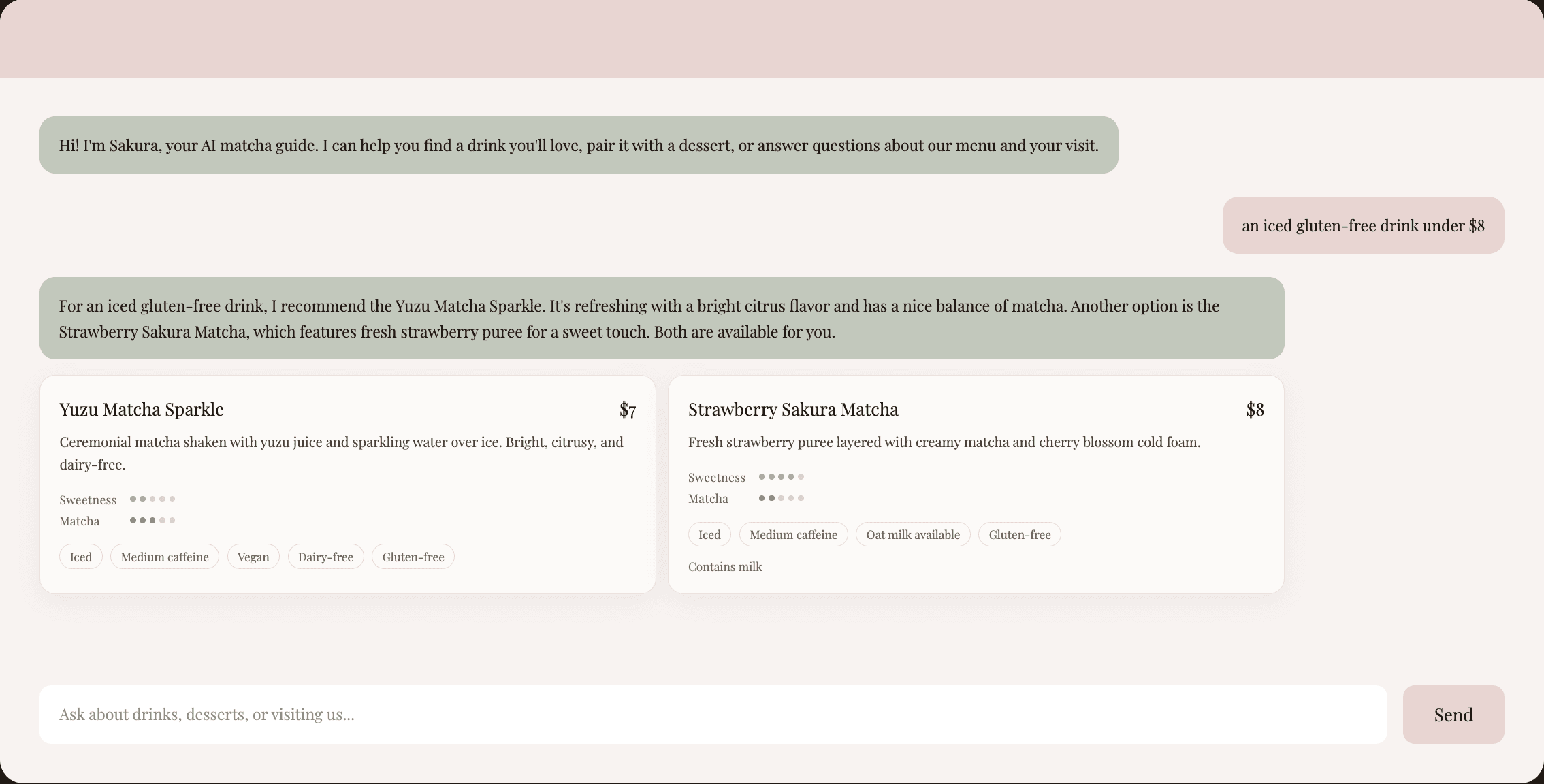
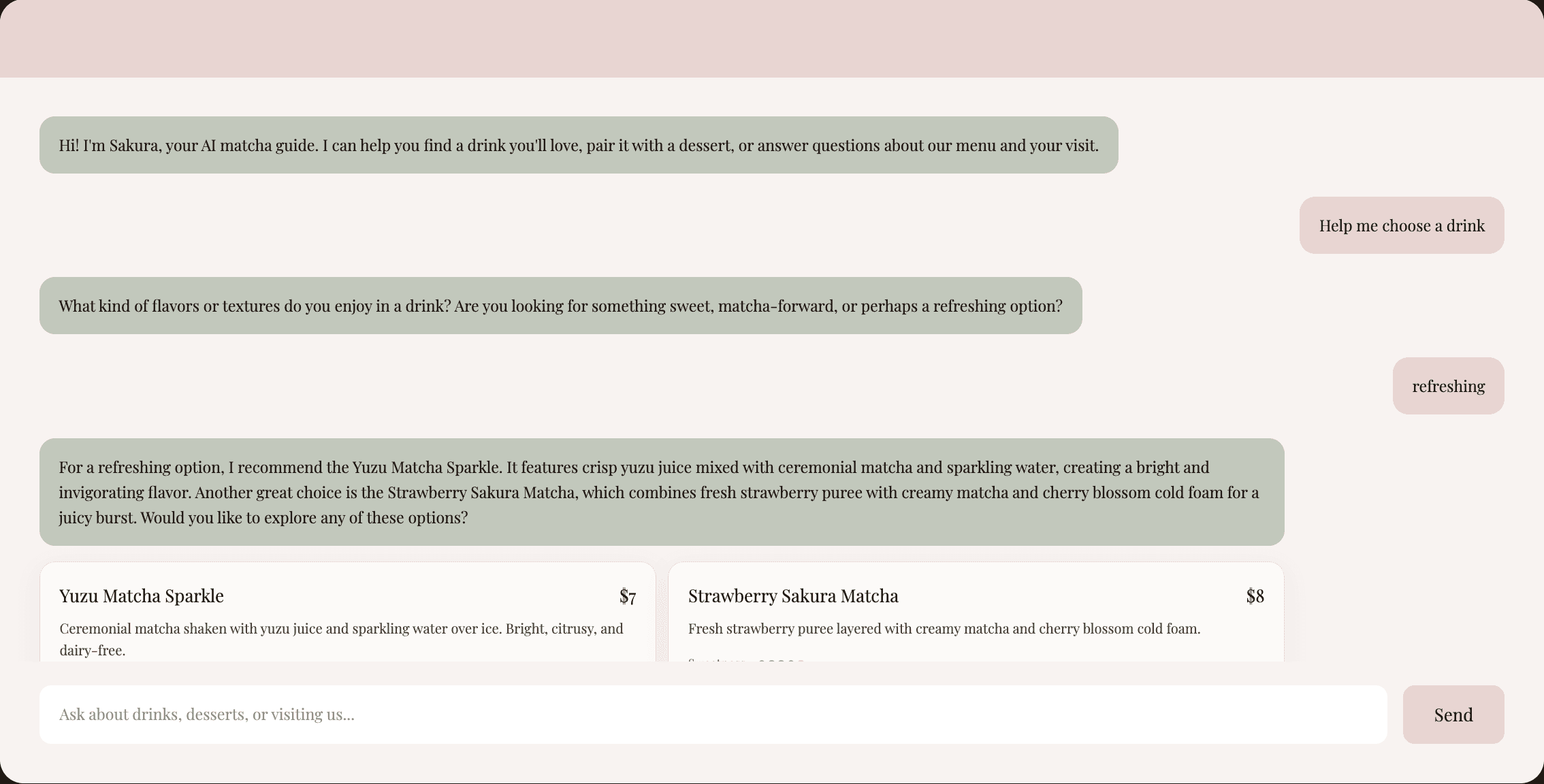
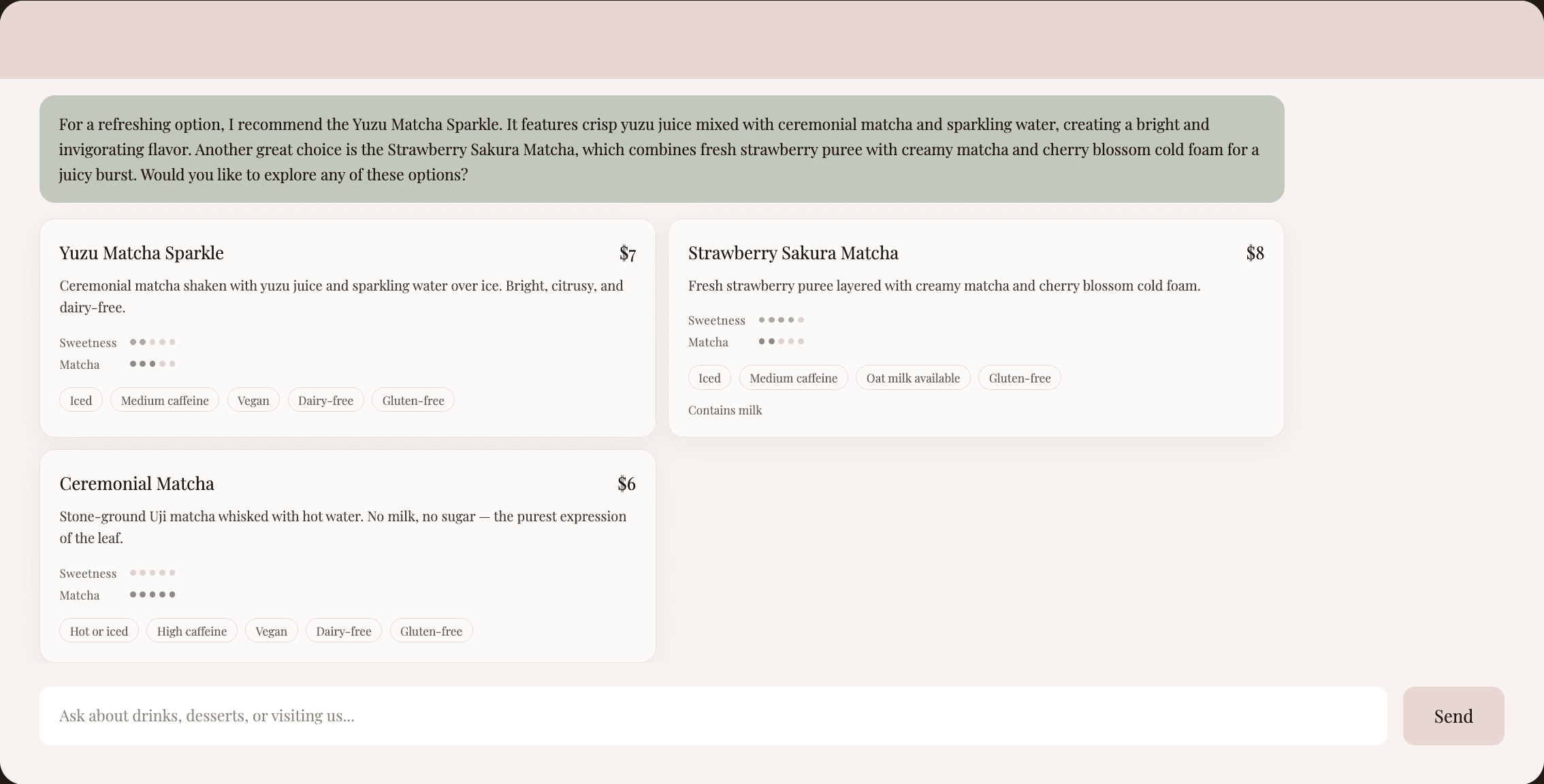
When customers are unsure what to choose, Ask Sakura interprets preferences such as flavor, sweetness, matcha intensity, temperature, and dietary needs. When necessary, it asks follow-up questions to better understand what the customer is looking for, then recommends up to three matching menu items. Recommendations are presented as structured Menu Item Cards so customers can quickly compare key product information.
2. Conversational Filtering
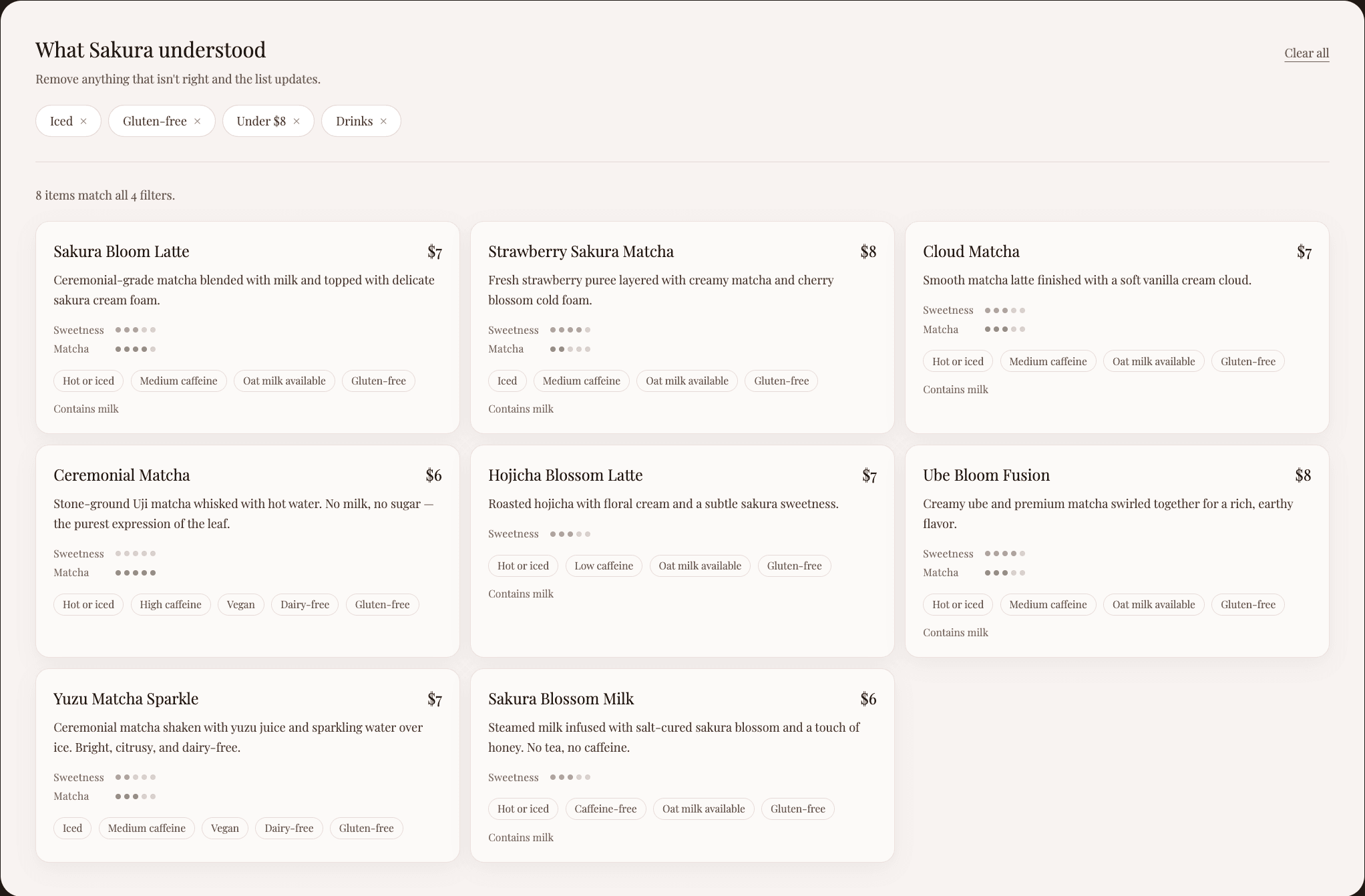
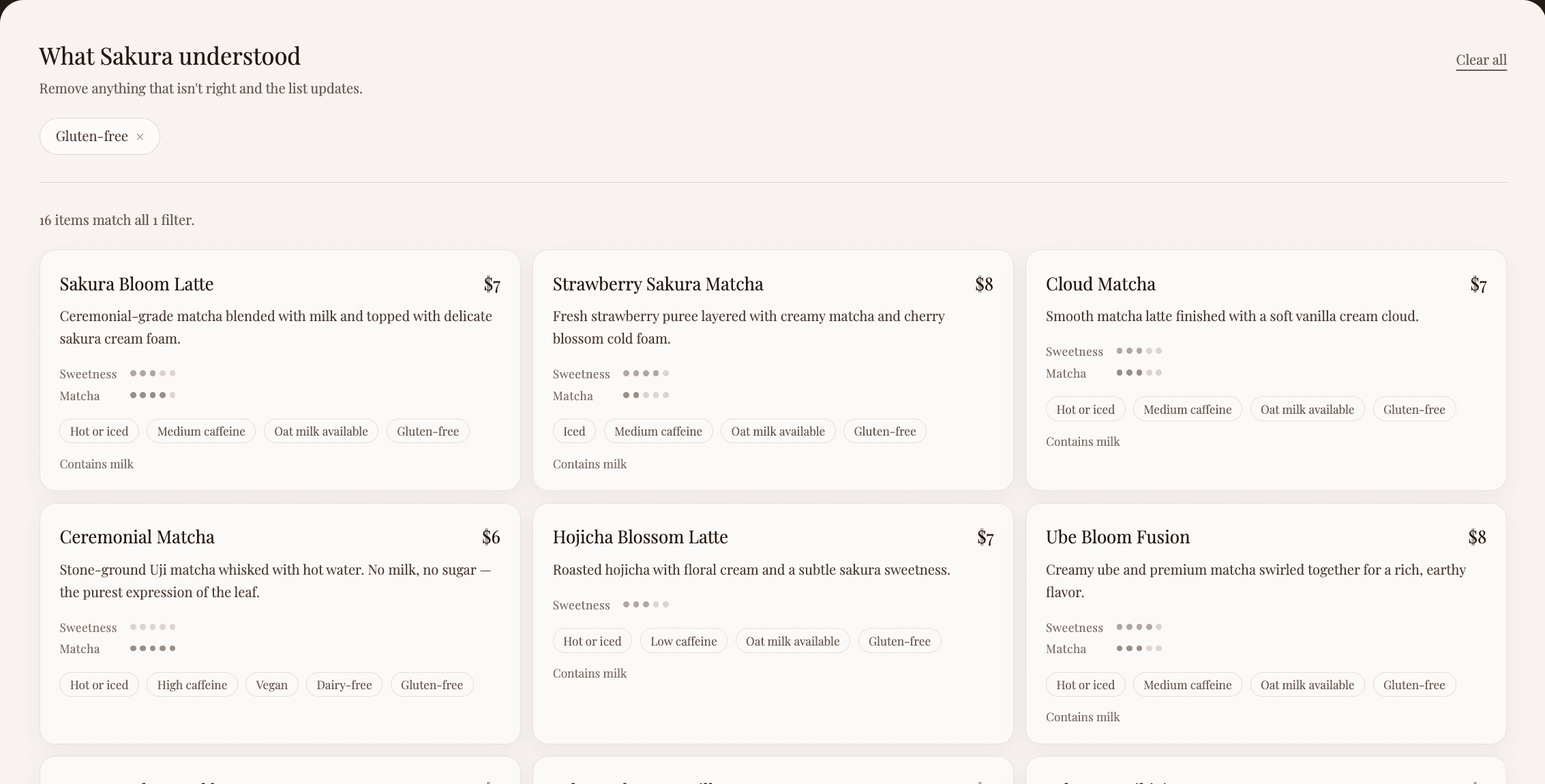
Ask Sakura translates natural-language constraints into structured menu filters. When a customer asks for something like “an iced dairy-free drink under $8,” the corresponding conditions appear as editable tags in the Active Filter Panel, which displays only matching menu items. Customers can remove individual tags to broaden or adjust the results without restarting the conversation.
3. Drink, Dessert & Soft Serve Pairing
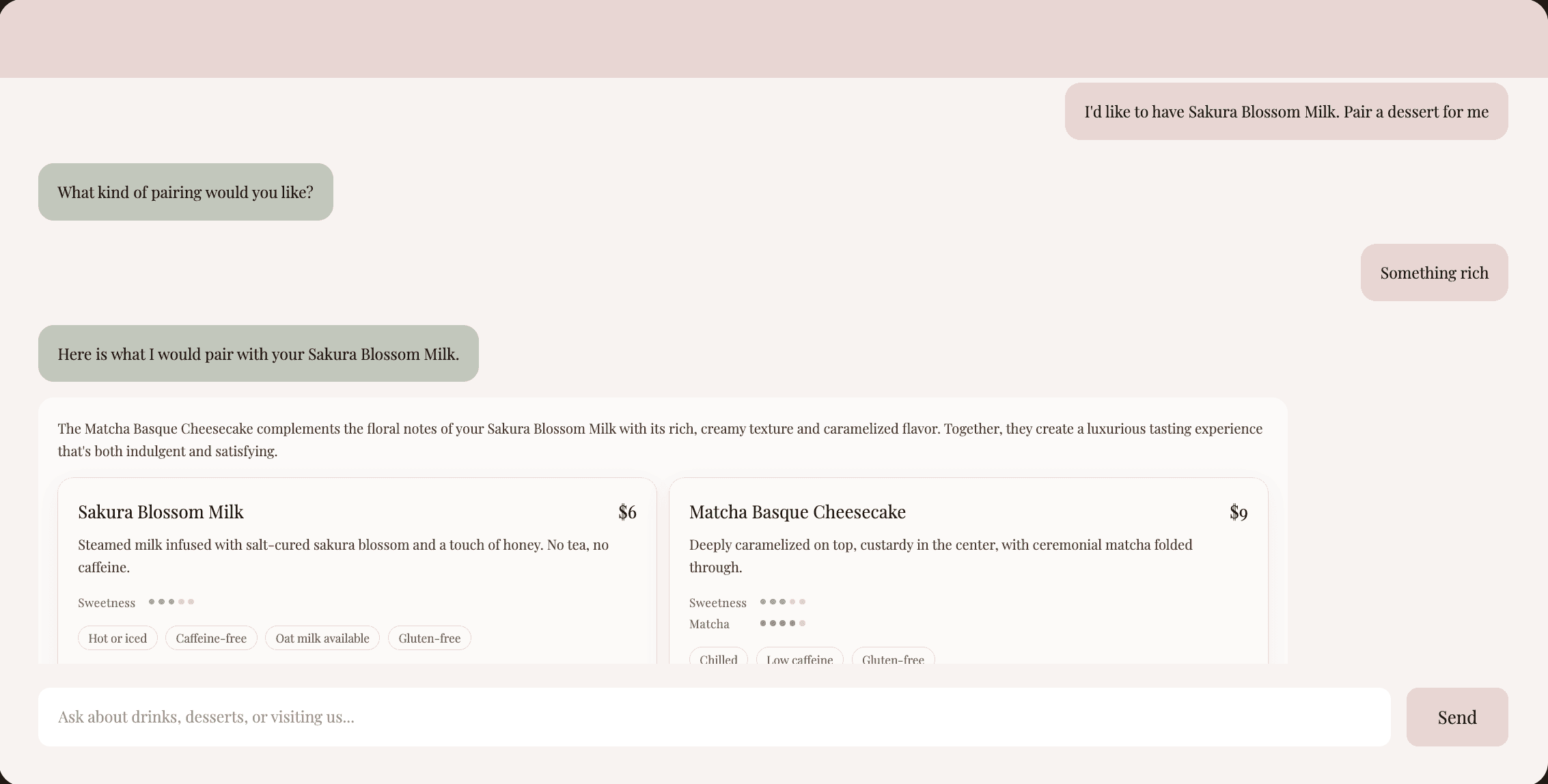
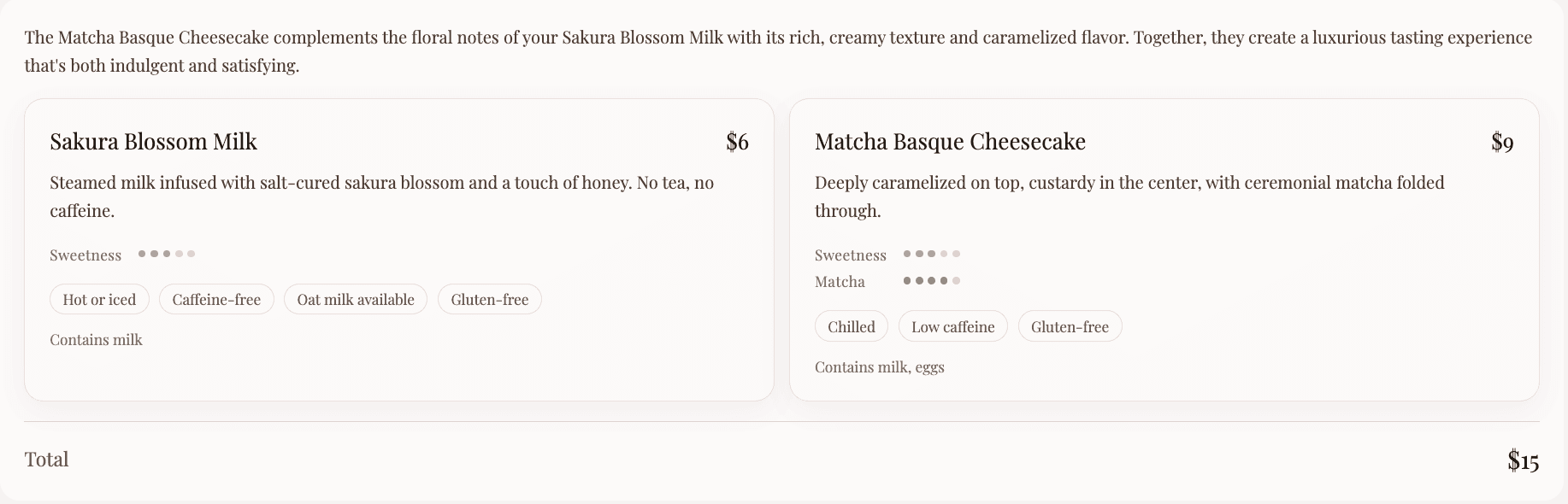
Customers who have already selected an item can ask Ask Sakura to find a complementary drink, dessert, or soft serve. The assistant considers the existing item, desired pairing category, and preferred direction, such as similar, contrasting, light, or rich, before recommending a compatible option. The result explains the pairing rationale and shows the combined price of both items.

Guardrails & Supporting Behaviors
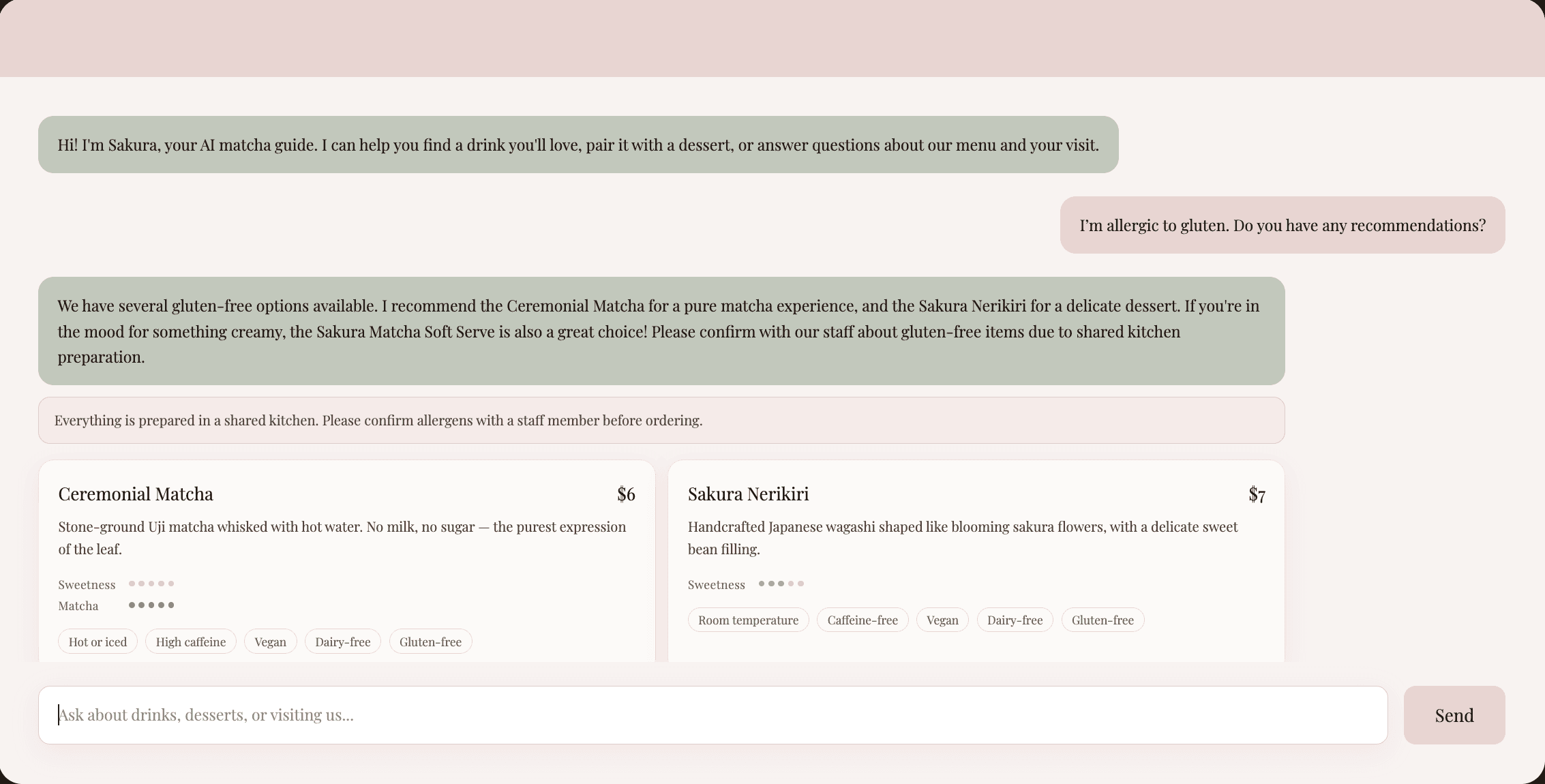
1. Allergy & Dietary Safety
When a customer mentions a dietary restriction covered by the system’s structured filters—dairy-free, vegan, or gluten-free—the assistant recommends only items that meet that condition. The corresponding restriction is also automatically added to the Active Filter Panel, and a warning notice appears below the response.
For allergens without structured filters, such as nuts or eggs, Ask Sakura avoids making unsupported safety claims and instead prompts customers to verify ingredients and cross-contact information.
2. Grounded Café Information
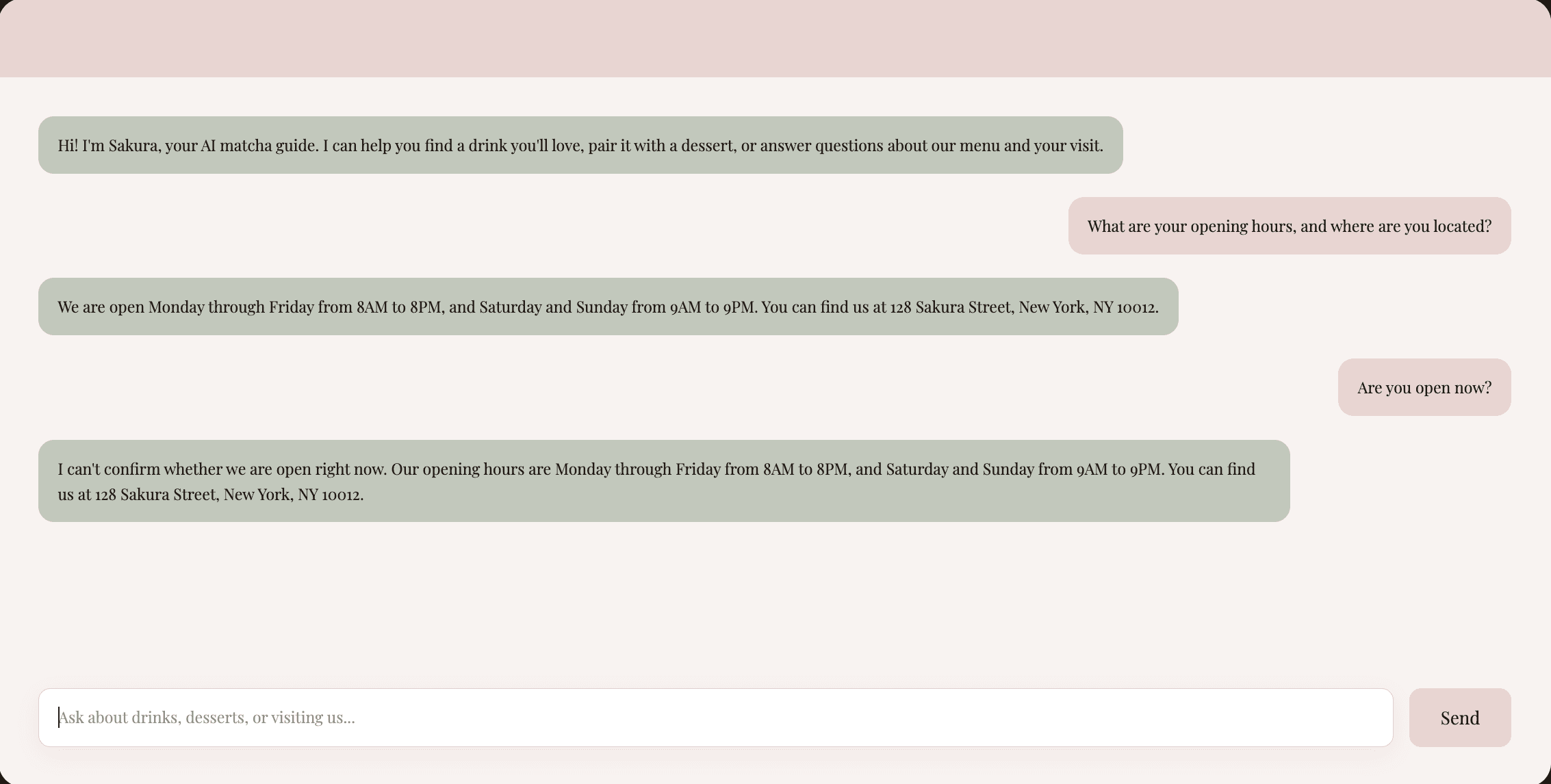
Ask Sakura can answer verified questions about opening hours, location, contact details, and the café space, while avoiding real-time claims it cannot verify, such as whether the café is currently open.
3. Interaction Support
Several interaction details support the overall conversational experience:
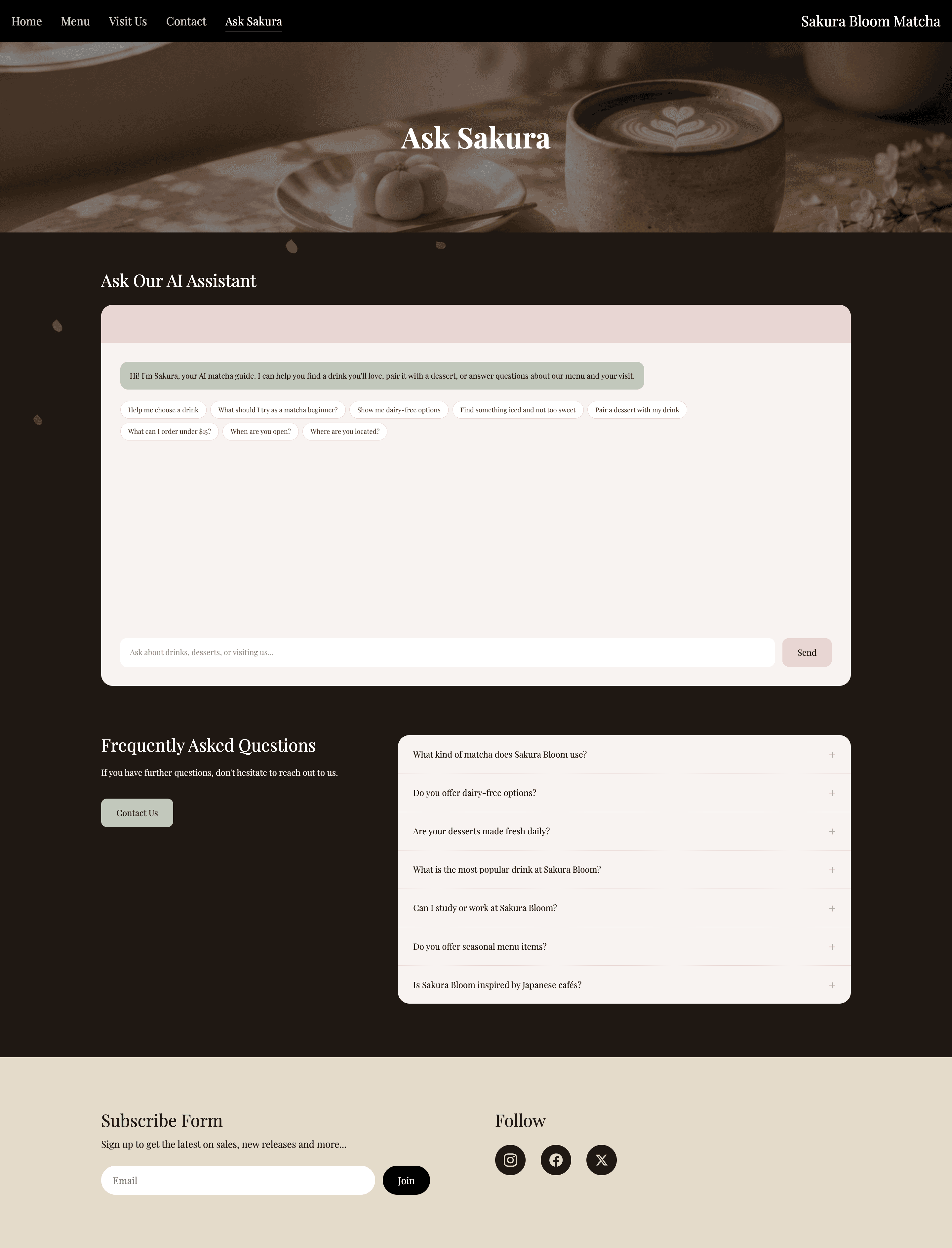
- 8 suggested-prompt shortcuts displayed on the first turn to help users understand what they can ask
- A typewriter-effect welcome message
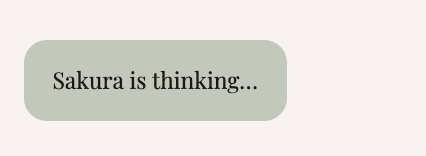
- A “Sakura is thinking…” loading state while a response is being generated
- Conversation context limited to the 12 most recent user and assistant messages
- Distinct error messages for a missing API key, failed request, or lost connection


04 - The Final Experience
Sakura Matcha supports the customer journey from discovering the brand to exploring the menu, deciding what to order, and planning an in-store visit. Customers can browse the website independently or turn to Ask Sakura when they need additional guidance.
1. Discover the Brand
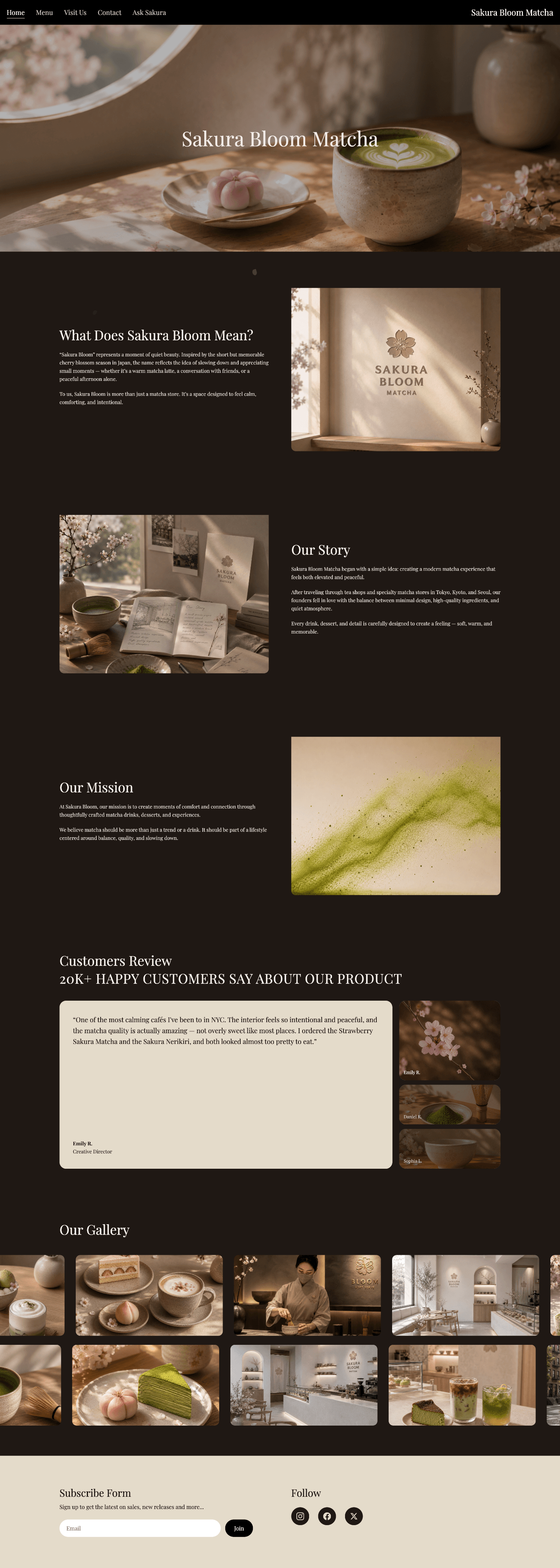
The homepage introduces customers to Sakura Matcha’s story, values, and visual identity. Customer reviews provide social proof, while the store gallery offers a closer look at the physical space and overall atmosphere. Together, these elements are designed to build brand recognition, communicate what makes Sakura Matcha distinctive, and encourage customers to explore further.
2. Explore the Menu
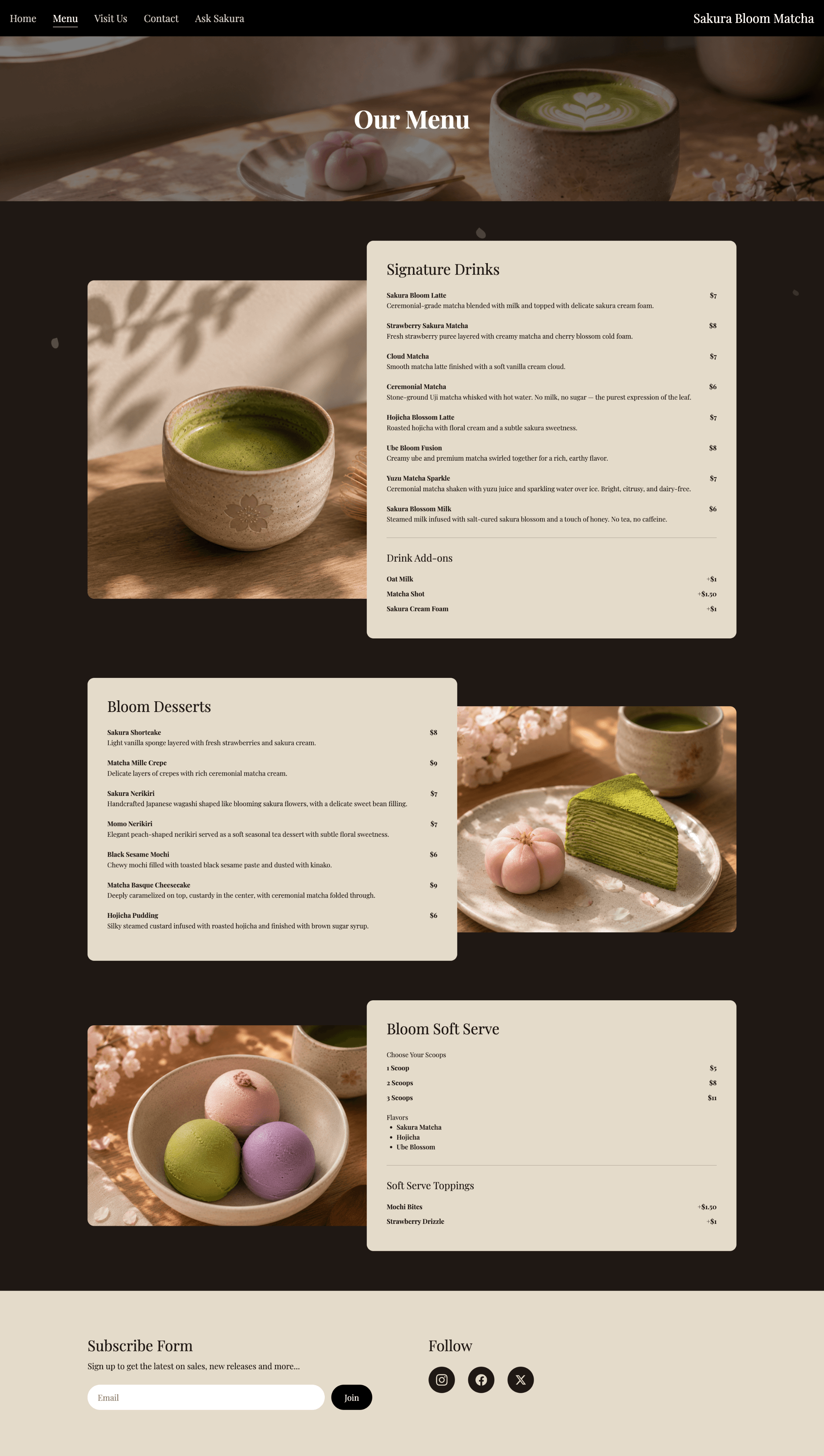
Customers can browse the menu to understand what Sakura Matcha offers and explore different drinks and desserts. Products are organized into clear categories and supported by descriptions, prices, and relevant product details, making the menu easier to understand for customers with different levels of familiarity with matcha.
3. Get Guidance from Ask Sakura
Customers who are unsure what to choose can use Ask Sakura for personalized support. They can describe preferences such as sweetness, matcha strength, temperature, or dietary needs in everyday language. The assistant then recommends relevant items from the menu and explains why each option may suit their preferences, helping customers make a more confident decision.
4. Plan a Visit or Get in Touch
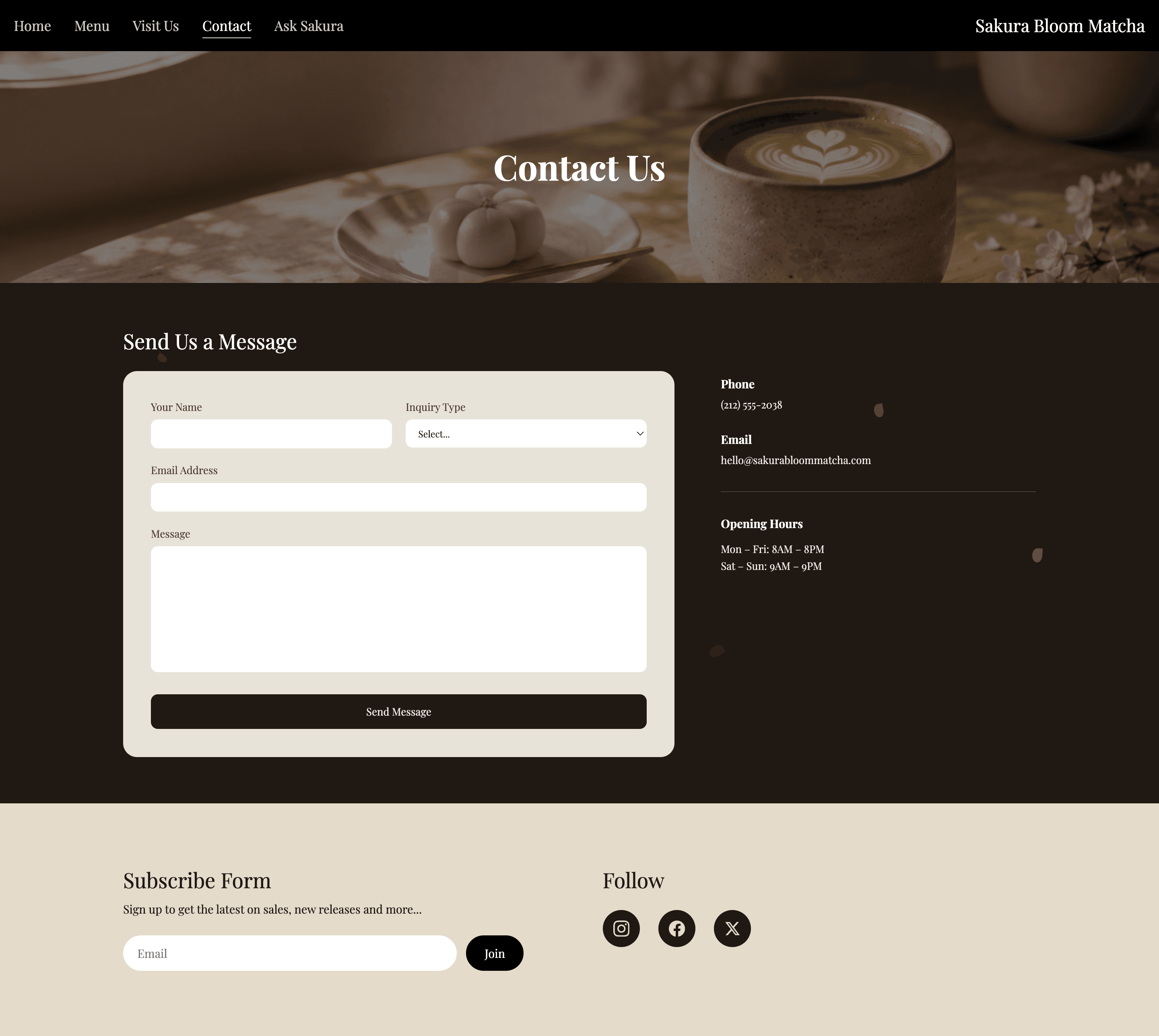
When customers are ready to visit the café, they can find practical information such as the store address and opening hours on the Visit Us page. The Contact page also provides direct ways to reach Sakura Matcha by email or phone when customers have additional questions.